 +1 (800) 844-6603
 Facebook page





Guides in this section
- Receipts Cutting Off - price not printing properly
- What is Drawer Accountable and Cash To Deposit in Cash Drawer Report?
- How to migrate derby single ( embedded ) to derby server
- How can I add barcode in customer receipts?
- How do I allow remote computer to connect to PostgreSQL
- How can I setup with 58mm paper size in receipt printer
- Large Image Size In Floor Plan Background
- Importing from spreadsheet gives out of range error
- How do I take backup and restore of ORO POS data
- What is Department and Sales Area in POS
- How can I see analytics in Dashboard?
- How to make a Item price variable ?
- Can I hide cash payment button?
- Why After Database Recreate I cannot Access backoffice ?
- How can I hide the Item detail window
- Why My Payment / Total Button is Grayed out?
Releted Guides
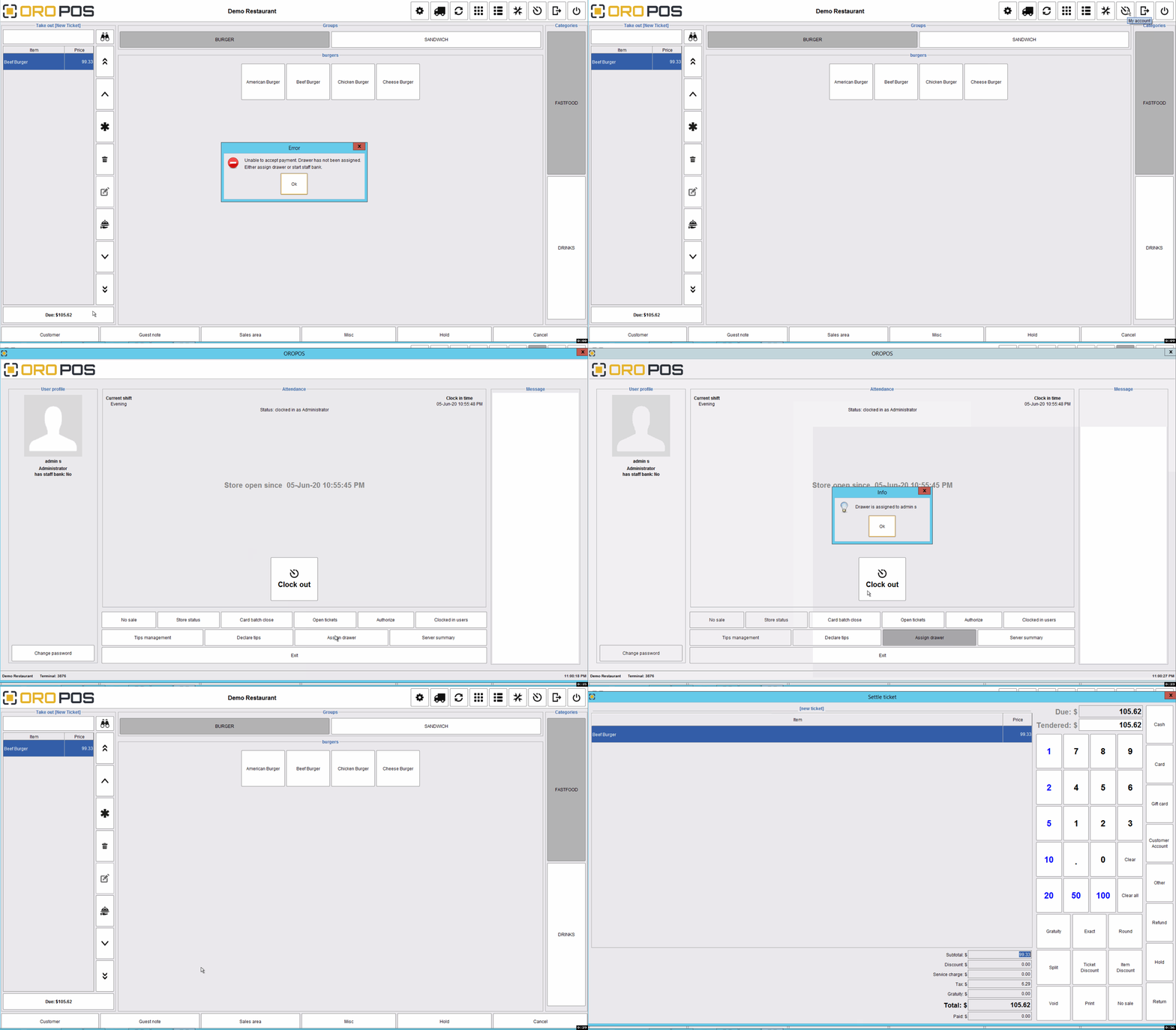
Help – Unable to accept payment. Drawer has not been assigned
ORO POS requires a store to assign a drawer or staff bank to receive payment. The store should assign a cash drawer before it starts selling items. If you have not assigned a drawer, it will prompt “Unable to accept payment”. you can access the Clock-in screen by tapping on the Clock in the tool button at the top.
Disclaimer: The information and media included on this website are not legal documents. Whilst we make every attempt to ensure the accuracy and reliability of the information contained in the documents stored, served and accessed on this site, this information should not be relied upon as a substitute for formal advice from our company. Features described in this document are subject to change without any notice.