 +1 (800) 844-6603
 Facebook page






Guides in this section
- Dejavoo Z6 , Z9 , Z11 Configuration
- Custom Payments in ORO POS
- Ticket Splitting in ORO POS
- Paid, Closed and Open Ticket status
- Coupons, Discounts & Reprice
- Void & Refund in ORO POS
- Configuring Service Charge
- Payment from customer balance
- Sending Transaction Receipts Via Email
- Pre-authorize & Tips Processing
- Capture Credit Card Transactions
- PAX S300 Configuration
- Understanding Tips Payout
- Penny Rounding For Canada
- Adding default service charge
- Configuring IDTECH SecuRED MSR payment device
- Setting Up Multi-Currency System
- Tax Settings
- Send vs Hold vs Done
- Visual Receipt Design
Releted Guides
iPP320 Configuration
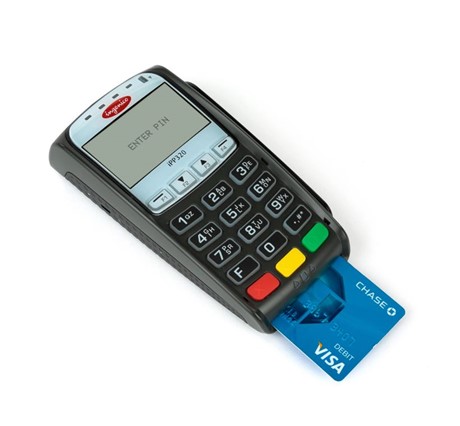
iPP320 terminals are popular payment devices for restaurants and retails. This device can work in stand alone mode and automatically connect to the processor’s cloud. This guide document will show how to connect ORO POS when IPP320 is connected to Bolt cloud.
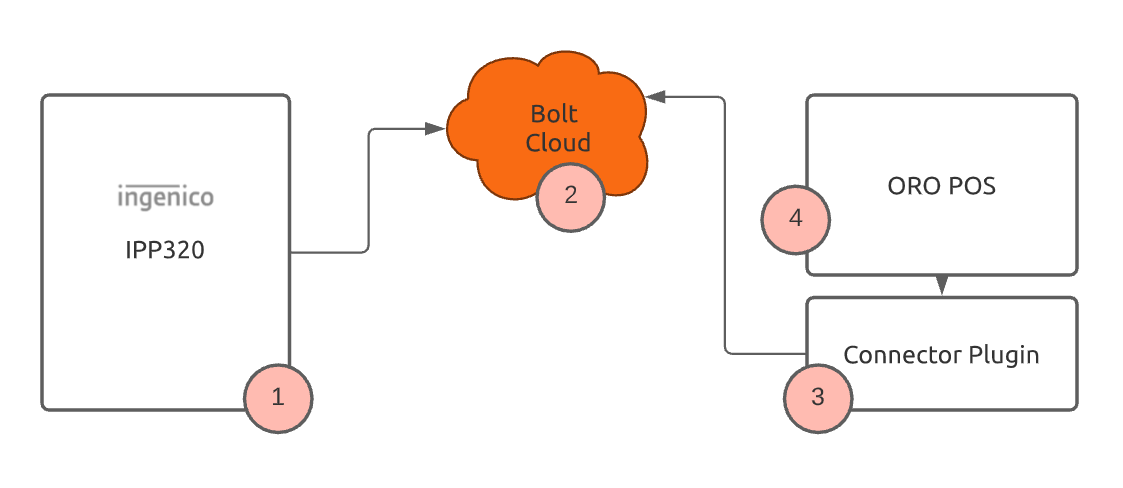
There are few simple steps to enable POS receive payment in an IPP320 device.
- Contact OROCUBE team to receive an payment processing account.
- Once you receive IPP320 device, follow steps to connect IPP320 to your wifi / ethernet system. Follow these instructions to configure IPP320 device. For more click here
- OROCUBE will send you specialized connector plugin for IPP320. If you have not received it contact them over helpdesk @ orocube.net
- Copy IPP320 plugin in ORO POS plugin folder and restart the POS
- Go to the backoffice of the ORO POS and you should find configuration screen as follows.
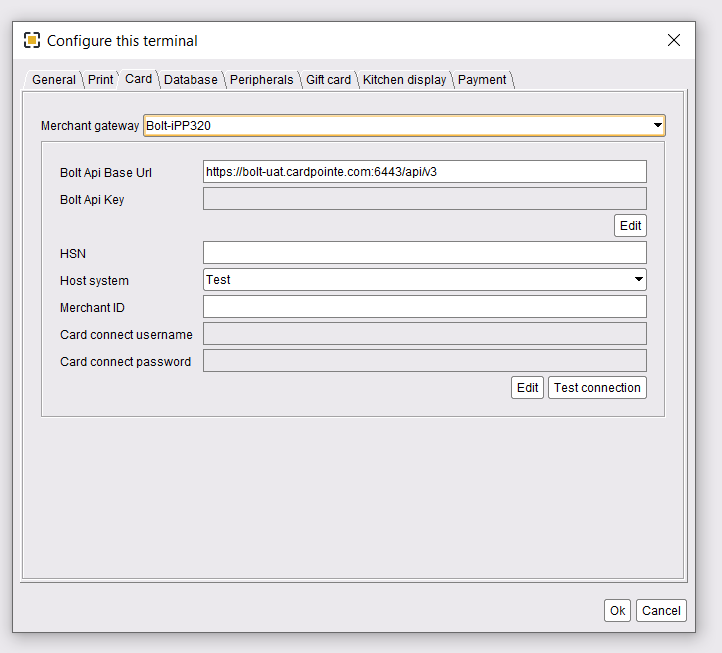
Once you have setup the parameters save and restart the POS. When you take card payment in the POS it will prompt that in IPP320 device.
Disclaimer: The information and media included on this website are not legal documents. Whilst we make every attempt to ensure the accuracy and reliability of the information contained in the documents stored, served and accessed on this site, this information should not be relied upon as a substitute for formal advice from our company. Features described in this document are subject to change without any notice.